.webp)
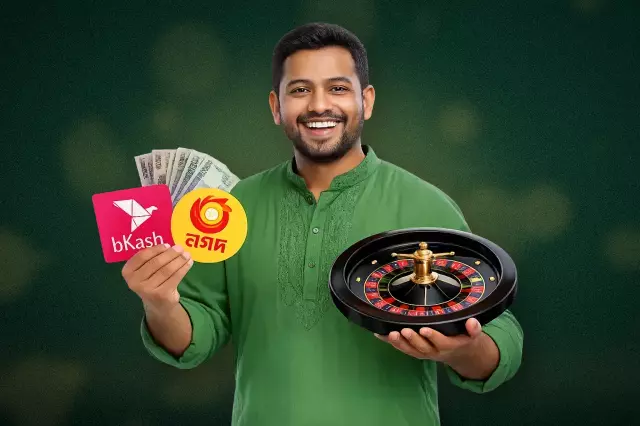
Krikya Payment Methods for Bangladeshi Players
Krikya focuses on familiar payment methods in Bangladesh, prioritizing speed and ease of use. While bank transfers serve as a reliable backup, digital wallets like bKash, Nagad, and Rocket are favored for their efficiency and practicality in online gaming:
- bKash;
- Nagad;
- Rocket;
- Bank transfer;
- Upay.
These secure methods are optimized for everyday transactions, with Nagad and bKash offering rapid mobile transfers while Rocket and Upay provide enhanced protection and simple fund management.

Local digital wallets are the most efficient choice for BDT transactions, offering superior speed and security compared to traditional banking methods on the platform.
Deposit Process, Limits and Processing Time
Making a deposit is usually simple. You log in to your Krikya account, open the cashier or payment page, select a method, enter the amount, and confirm the transaction. For Bangladeshi players, local wallet options are normally the fastest way to fund the balance in BDT and start playing without a long wait.
| Deposit method | Min deposit (BDT) | Max amount | Fee | Processing time |
|---|---|---|---|---|
| bKash | 200 | 25,000–50,000 | No fee | Instant |
| Nagad | 200 | 25,000–50,000 | No fee | Instant |
| Rocket | 200–500 | 25,000–50,000 | No fee | Instant to a few minutes |
| Upay | 300–500 | 25,000–30,000+ | No fee | Instant |
| Bank transfer | 1,000 | 30,000–500,000 | No fee | Minutes to 1–3 business days |
The exact limits and transaction time can still change depending on your account status, the payment method you choose, and whether extra verification is needed. That is why it is always smart to check the cashier before you confirm anything. If a deposit takes longer than expected, customer service or live chat may ask for the payment ID, method, amount, and time to help support the request faster.
How to Make a Deposit on Krikya?
Making a deposit on Krikya is usually quick and simple. The player needs to log in, open the payment section, choose a preferred method, and confirm the amount in BDT. For many Bangladeshi users, local wallet options are the most practical choice because they are familiar, fast, and easy to use on both the official website and mobile interface.
- Log in to the Kirkiya personal account;
- Open the Deposit, Cashier, or Payments section;
- Choose a payment method such as bKash, Nagad, Rocket, Upay, or bank transfer;
- Enter the deposit amount in BDT;
- Check the payment details carefully before confirming;
- Complete the transaction and wait for the balance to update.
After that, the funds are usually added to the account based on the selected payment method and current processing time. If the deposit does not appear right away, the player should first review the transaction details and then contact support with the payment amount, time, and method used.
Withdrawal Time and Limits in BDT
Withdrawal speed on the Krikya app usually depends on a few practical details. The most important ones are correct account information, the selected wallet, and the current system load. If the player keeps the wallet details identical to the registered profile, follows the payment form carefully, and submits the request during quieter hours, the payout process is often smoother. The withdrawal history section can also help the player track the status without guessing. The app mainly supports local wallet methods for faster cashout in BDT. Each option has its own limit range and usual processing window, so the player should review the method before sending a request.
| Method | Minimum (BDT) | Maximum (BDT) | Typical Time | Note |
|---|---|---|---|---|
| bKash | 500 | 30,000 | 15 minutes to 24 hours | Usually faster when the wallet name matches the profile details |
| Nagad | 500 | 30,000 | 5 to 60 minutes, up to 24 hours | Works best with a verified phone number and correct number format |
| Rocket | 800 | 20,000 | 5 to 60 minutes, up to 24 hours | Processing may slow down during peak periods |
| Upay | 800 | 20,000 | 15 minutes to 24 hours | The player should check wallet number format before confirming |
In general, local methods appear to be the most practical choice for app withdrawals in Bangladesh. Still, the final timing can vary from one request to another. For that reason, the player should double-check the wallet number, use verified details, and follow the in-app instructions before confirming the payout.
How to Withdraw Money from Krikya?
Withdrawing from Krikya is a simple process: just navigate to the cashier, select your method, and enter the amount in BDT. For players in Bangladesh, local digital wallets are the most efficient option for managing funds across all platforms. To complete your payout, follow these steps:

Payout times vary based on the selected method and current system load. If funds are delayed beyond the standard timeframe, verify your transaction details and contact support with your transfer info for immediate assistance.
Minimum Conditions for Withdrawal
Before sending a withdrawal request in the Krikya mobile app, the player should make sure the key details are already in place. The phone number should be verified by OTP in the Profile section, which helps make the withdrawal option available and reduces extra prompts. The personal details in the account should match the wallet owner information exactly, including spelling, spacing, and transliteration, so the request does not go into a name review. The amount must stay within the visible minimum and maximum range for the selected method. The player should also keep only one active withdrawal at a time and wait for the final status in History before creating a new request. A stable internet connection and enabled app notifications can also help the process move more smoothly.
Krikya Account Verification and Payment Security
Verification is a normal part of payment security on Krikya. It helps protect account access, prevent fraud, and make deposits and withdrawals safer for the player. When a withdrawal request is reviewed, the platform may need to confirm that the account belongs to the correct person and that the payment activity is genuine. This makes the payout process more secure and supports responsible handling of player funds.
The verification process may include an identity document, proof of address, and, in selected cases, confirmation of the payment source linked to the account. These checks are especially important before a payout is approved because they help confirm that the details on the profile are correct and that the withdrawal is being sent through the right method. The purpose is not to make the process harder. It is there to reduce mistakes, improve transaction safety, and protect the player from unauthorized activity.
Krikya App and Website Payments
Kirkiya allows the player to manage payments through the official website or the mobile interface. The overall flow is usually the same on both versions, so the player can move from desktop to mobile without confusion. After login or registration, the payment section is normally linked to the same account access path as the cashier, deposit page, withdrawal page, and profile settings. This makes it easier to control the balance, send payment requests, and track activity from one place.
Using the Payment Section on Mobile
The Krikya mobile interface offers optimized navigation for managing funds via the app or browser. This streamlined layout ensures that financial operations remain fast and accessible, allowing for efficient balance management. The standard transaction process includes several key steps:

Careful verification of all details before confirmation prevents common processing errors. The mobile platform provides direct access to transaction history and 24/7 support, allowing users to manage balances and resolve queries efficiently within a single interface.
Common Payment Issues
Most payment issues on the Krikya platform are routine, but the player still needs clear guidance when something does not go as planned. A deposit may take longer to appear, a withdrawal can remain pending during review, the wrong amount may be entered by mistake, or account verification may still be incomplete. In some cases, bonus terms can also affect a cashout request. The goal of this section is to explain these situations in a simple way and show that support and customer service are available when the player needs help.
| Payment issue | What it usually means | What the player should do |
|---|---|---|
| Deposit not credited yet | The payment may still be processing or waiting for confirmation | The player should check the payment method, amount, and transaction details, then wait for the balance to update |
| Withdrawal pending | The request may still be under review or in the queue | The player should check the withdrawal status in the account and wait for the final update before sending another request |
| Wrong amount entered | The submitted amount may not match the intended transaction | The player should review the request details and contact customer service if the payment has already been sent |
| Verification still under review | The account may still be going through a payment safety check | The player should make sure the requested details were submitted correctly and wait for the review to finish |
| Bonus blocked withdrawal | Active bonus terms may still apply to the balance or winnings | The player should read the bonus terms carefully and confirm whether the wagering conditions have been completed |
In most cases, these issues can be resolved without difficulty when the player checks the account details carefully and follows the payment instructions step by step. If the problem continues, support should be contacted with the payment method, amount, time of request, and any visible status update. This helps customer service review the case faster and give a clearer answer.